Getting onto the Uber Eats Platform can feel fast when everything matches, then slow when one photo fails a check. Most delays come from predictable issues: a cropped document, a name mismatch, or a background screening that takes longer in a specific city.
Core requirements stay similar worldwide, yet local rules can raise the minimum age, add extra paperwork, or pause activations when courier supply is high.
What To Expect at Uber Eats Platform
Account setup happens inside the app, documents get reviewed, and then a safety screening runs where required.
Uber’s help pages note that document review typically takes a few days, and timing can vary by location and demand. Some markets also run a waitlist, so approval does not always equal instant access to delivery requests.
General Eligibility Requirements
A baseline set of requirements appears in most countries, even when the documents are named differently. Age rules vary the most. Bicycle delivery often starts at 18, while motorized delivery can start at 19 or higher in some places, and some regions set higher thresholds for car delivery.
Identity and work eligibility also matter. Proof of identity and right to work in the operating country may be required depending on local onboarding rules. A smartphone capable of running the Driver app is non-negotiable, since sign-up, navigation, and earnings tracking all sit there.
Safety screening comes next. An Uber Eats background check or equivalent screening is commonly required, and timing ranges widely by country and screening provider. Some regions complete checks in several business days, while others can take up to two weeks or more, especially when government record systems slow processing.
Documents Needed By Vehicle Type
Vehicle choice changes the checklist more than almost anything else. Uploads need to be clear, unexpired, and fully visible, including all corners where applicable. Document names differ by country, but the categories stay consistent: identity, photo, vehicle permission, and insurance, where relevant.
| Vehicle Type | Typical Required Documents |
| Bicycle (or foot where available) | Government-issued ID, profile photo |
| Scooter or motorbike | Driver’s license, registration or logbook, proof of insurance, profile photo |
| Car or light vehicle | Driver’s license, registration and inspection record where applicable, proof of insurance, profile photo |
Extra documents sometimes appear. Certain cities require additional permits, commercial coverage, or local transport registrations. Fleet delivery models can also introduce business registration and banking proof requirements depending on how payouts are handled locally.
A practical detail that gets missed: some countries treat “scooter” as a small-displacement vehicle class with its own rules, while others group scooters under motorcycles. Match the exact vehicle type selected during sign-up to the documents being uploaded, or rejections become common.
Step-By-Step Sign-Up And Upload Flow
A smooth onboarding flow starts with the right selections. Vehicle type and city selection affect which document fields appear, so choosing the wrong option forces rework later.
After installing the app, account creation continues inside the documents area. The common path looks like this:
- Create the account and select the city and vehicle type.
- Upload documents inside the Uber Driver app documents area (often found under Account or Documents).
- Complete screening steps as prompted.
- Wait for approval notifications, then go online when activation is enabled.
Drivers already active for rideshare sometimes need to toggle delivery access inside the menu, commonly under a work hub or delivery option. Terms acceptance can be required before requests start showing.
Timing matters, but “one global number” rarely holds. Uber help content commonly cites a delivery partner activation time that depends on document review, screening completion, and local onboarding volume. A realistic expectation is a few days when documents are perfect, and longer when screening providers or local checks slow down.
Photo And Document Upload Tips That Prevent Rejections
A lot of rejections have nothing to do with eligibility. They happen because the upload fails basic validation.
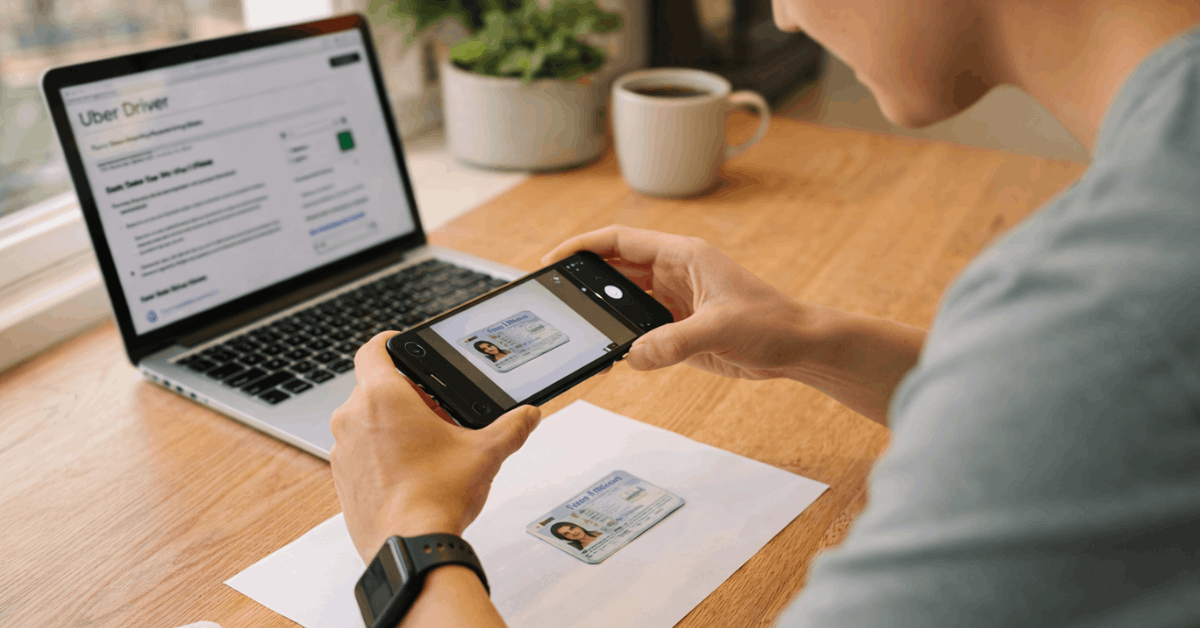
Photo standards are strict. Profile photo rules typically require a clear, forward-facing image, no sunglasses, no hats, and no filters. Good light and a plain background reduce the chance of automated rejection. Facial visibility matters, and blurry selfies get kicked back fast.
Document photo quality matters too:
- Use bright, even lighting, avoid glare, and keep the document flat.
- Capture the whole page, including edges.
- Avoid screenshots or images of images unless the local rule explicitly allows them.
- Confirm names match across ID, license, and payout profile.
Banking details may be required for payouts, and acceptable proof varies. Some markets accept a bank statement or bank letter showing the account holder’s name and account number, and some accept card proof, depending on the local payout setup.
Gear can also be part of activation. An insulated delivery bag is required in many markets, and some regions provide purchase guidance only after account readiness. Buying a bag too early can be wasted spend if activation is delayed by demand.
Activation Timeline And Common Delays
Document review can be quick, yet screening often becomes the long pole. Uber’s help guidance commonly indicates document review may take several days, and background checks can take longer depending on the country and provider.
Some regions do not even start screening until all documents are approved, so one bad photo can delay everything.
Delays typically happen for these reasons:
- Cropped or blurry uploads.
- Expired documents.
- A mismatch in name format or address details.
- Wrong vehicle type selected during onboarding.
- Screening provider requests extra information or verification.
Demand-based activation is a separate issue. Some areas pause new courier activations when supply is high. Approval can still arrive, but going online may not be enabled until the local market opens capacity again.
Earnings, Payouts, and What The App Shows
Earnings visibility is one of the system’s better features. The app generally shows estimated pay for a request before acceptance, and tips are typically tracked separately, with in-app tipping supported in many markets.
Payout frequency depends on local settings. Weekly bank transfers are common, while faster cash-out options exist in many places. Instant Pay cash out can allow multiple withdrawals per day in some markets, though limits and fees vary by country and sometimes by city. Bank holidays and processing windows can also delay deposits even when a cash-out is requested.
A helpful habit: confirm payout details early. A wrong bank number or a mismatched name can slow payouts even after activation is complete.
Troubleshooting a Rejected Document
A rejected upload rarely requires support right away. Retaking the photo properly fixes most cases.
Start with the basics:
- Retake the image in stronger light.
- Ensure all corners and text are visible.
- Upload the correct document type for the field requested.
- Check expiry dates and name spelling.
If rejection repeats, the issue may be policy-based, not photo-based. Some cities require specific formats, extra permits, or a different document version than expected. Checking the in-app guidance for that specific document field usually reveals the missing detail faster than guessing.
Last Thoughts
Getting approved for Uber Eats stays simple when every upload is clean, and every detail matches the profile.
Most setbacks come from small, fixable things, so the fastest path is treating sign-up like a checklist: pick the right city and vehicle type, upload clear full-frame photos, and keep names consistent across ID, license, and payout details.
Once documents pass, screening and local demand become the main variables, so patience matters more than extra clicks. Clean inputs up front usually mean a quicker activation, fewer re-uploads, and a smoother first week online.